How to integrate Apollo MCP with OpenCode

How to integrate Apollo MCP with OpenCode This guide explains how to connect Apollo MCP to OpenCode using Composio Connect, which simplifies OAuth, API changes, and reliability concerns. There are two ways to set this up: Via Composio Connect MCP Via the Composio CLI

Apollo logoApollo
Api Key

Apollo is a CRM and lead generation platform that helps businesses discover contacts and manage sales pipelines. Use it to streamline customer outreach and track your deals from one place.

48 Tools

How to integrate Apollo MCP with OpenCode

This guide explains how to connect Apollo MCP to OpenCode using Composio Connect, which simplifies OAuth, API changes, and reliability concerns.

There are two ways to set this up:

Also integrate Apollo with

Why use Composio?

Composio provides a single MCP server or CLI tool that exposes a set of meta-tools, allowing you to:

  • Connect to 1,000+ apps with on-demand tool loading, so you do not fill your LLM context window with unnecessary tool definitions.
  • Use programmatic tool calling through a remote Bash tool, letting LLMs write their own code to handle complex tool chaining. This reduces back-and-forth for frequent tool calls.
  • Handle large tool responses outside the LLM context to keep conversations lean.

Connect Apollo with OpenCode

Option 1: Using Composio CLI

1. Install Composio CLI

Install the Composio CLI, authenticate, and initialize your project:

bash
# Install the Composio CLI
curl -fsSL https://composio.dev/install | bash

# Authenticate with Composio
composio login

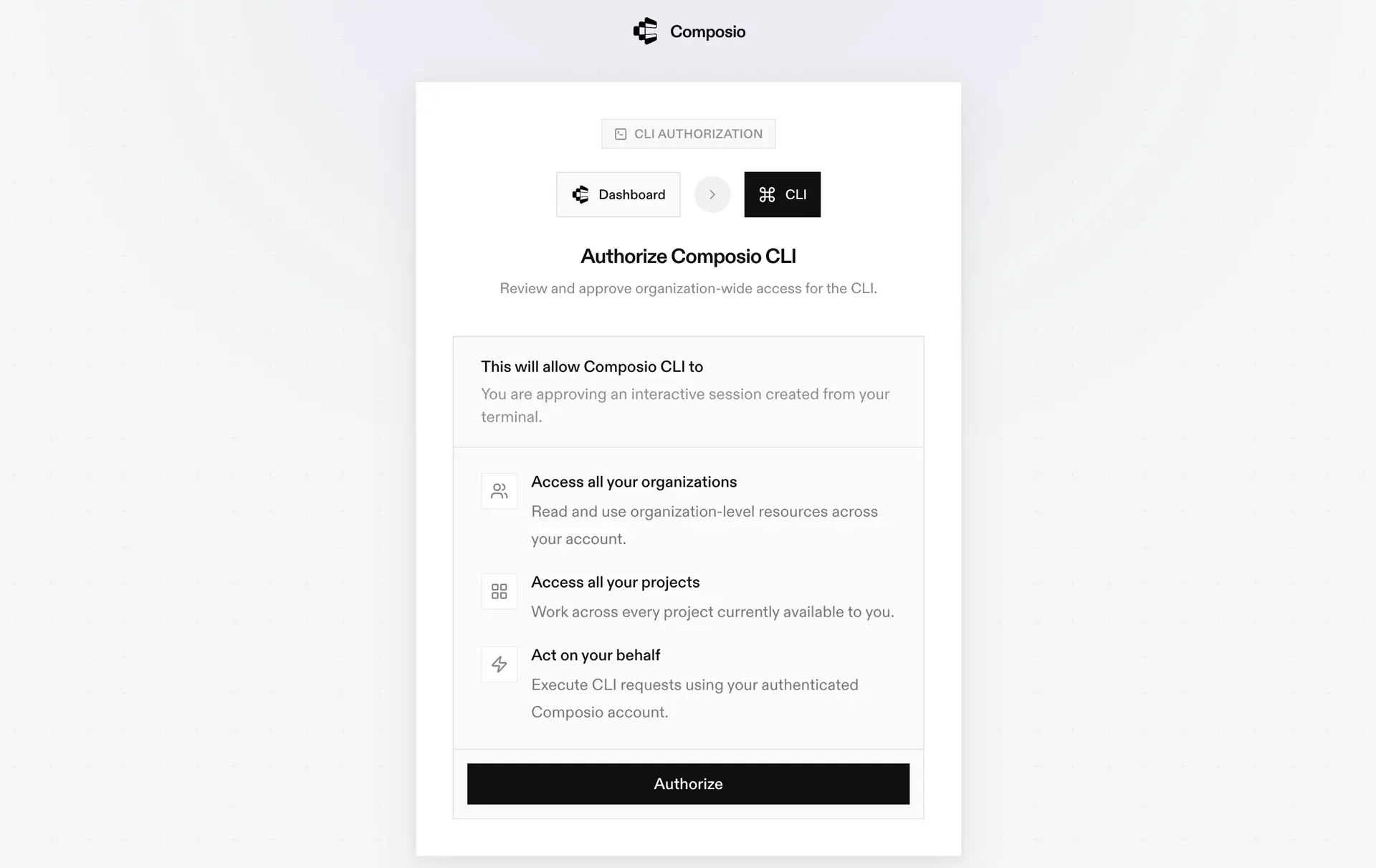
During login, you will be redirected to the sign-in page. Finish the flow and you are all set.

Composio CLI authorization screen

2. Authorize Apollo

Once the CLI is installed, it is essentially done. Give OpenCode access to your apps with these steps:

  1. Launch OpenCode.
  2. Prompt it to "Authenticate with Apollo Composio".
  3. Complete the authentication and authorization flow, and your Apollo integration is all set.
  4. Start asking anything you want.

Option 2: Using Composio MCP

You can also connect Apollo to OpenCode by adding Composio as an MCP server through the OpenCode CLI.

1. Add the Composio MCP server

bash
opencode mcp add

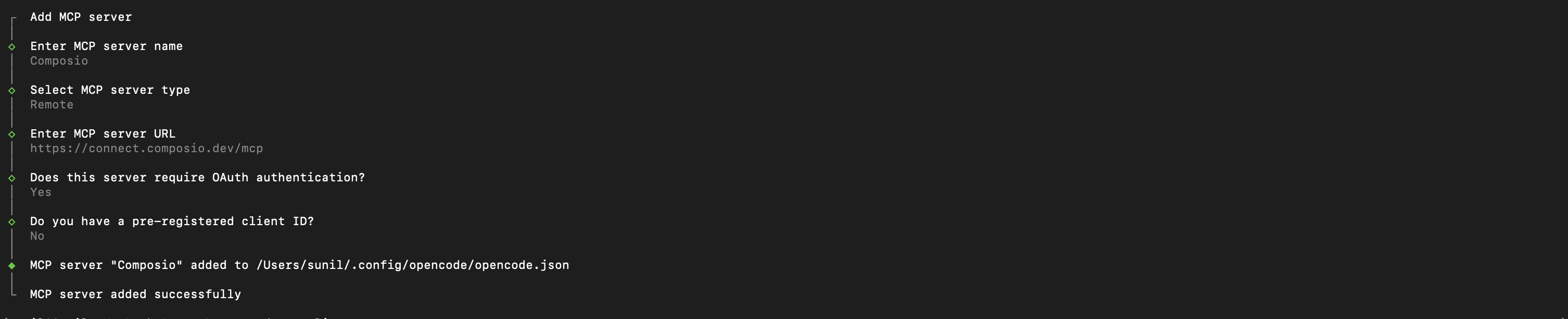
This launches an interactive prompt.

2. Fill in the fields

FieldValue
Namecomposio
Typeremote
URLhttps://connect.composio.dev/mcp
Require OAuthYes
Have client IDNo
OpenCode MCP server interactive prompt for Composio

Alternatively, you can skip the interactive prompt and paste the configuration directly into your OpenCode config file.

Open your global OpenCode config:

bash
open ~/.config/opencode/opencode.json

Add this under the mcp key and save the file.

bash
{
  "mcp": {
    "composio": {
      "type": "remote",
      "url": "https://connect.composio.dev/mcp",
      "enabled": true
    }
  }
}

3. Authenticate

Authenticate the Composio MCP server you just added:

bash
opencode mcp auth composio

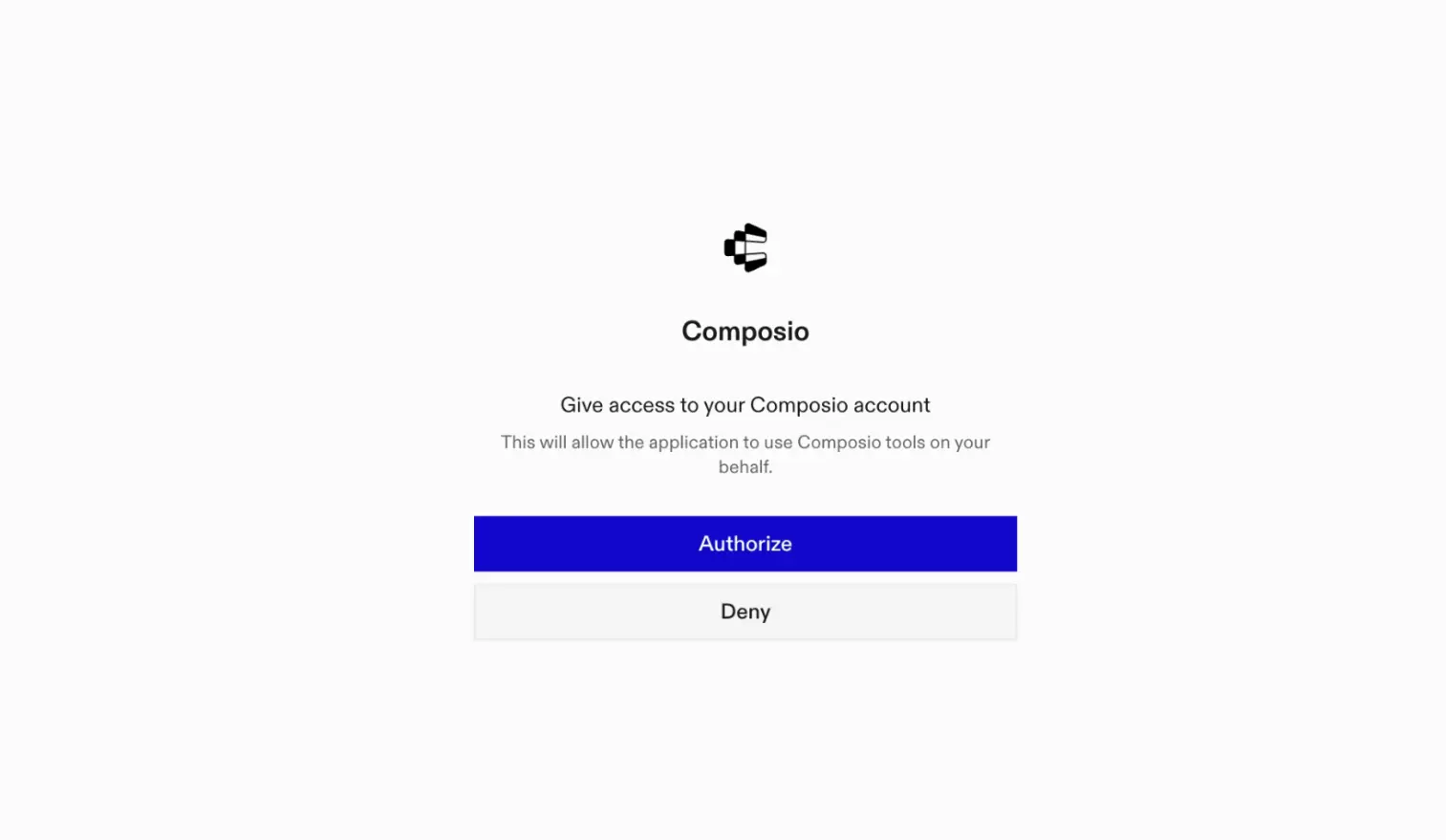
This opens a browser session. Authorize Composio and you are done.

Composio browser authorization for OpenCode MCP

4. Verify installation

bash
opencode mcp list

5. Connect Apollo with OpenCode

Now, in the chat, ask the agent to connect to Apollo or give it any Apollo-related task.

For example, ask it to:

  • "Bulk enrich profiles for new leads"
  • "Add contacts to outreach sequence now"
  • "Create a new sales deal for Acme"

It will prompt you to authenticate and authorize access to Apollo.

That is it. Composio tools are now available in OpenCode, and your Apollo account is ready to use.

Way Forward

Now that Apollo is connected, extend your setup by connecting the other apps you already use every day, so your agent can run true cross-app workflows end to end.

  • Connect Calendar to turn threads into scheduled meetings automatically.
  • Connect Slack or Teams to post summaries, approvals, and alerts where your team works.
  • Connect Notion, Linear, Jira, or Asana to convert requests into tickets, tasks, and docs.
  • Connect Drive, Dropbox, or OneDrive to fetch, file, and share attachments without manual steps.

Start with one workflow you do repeatedly, then keep adding apps as you find new handoffs. With everything behind a single MCP endpoint, your agent can coordinate multiple tools safely and reliably in one conversation.

TOOLS

Supported Tools

Every Apollo action and event your agent gets out of the box.

Add Contacts to Sequence

Adds contacts to a specified Apollo email sequence and returns the contact details.

Bulk organization enrichment

Enriches data for up to 10 organizations simultaneously by providing a list of their base company domains (e.

Bulk people enrichment

Use to enrich multiple person profiles simultaneously with comprehensive data from Apollo's database.

Bulk update account stage

Bulk updates the stage for specified existing Apollo.

Create an Apollo account

Creates a new account in Apollo.

Bulk create Apollo accounts

Creates multiple accounts in Apollo.

Bulk create Apollo contacts

Tool to bulk create multiple contacts in Apollo with a single API call.

Create call record in Apollo

Tool to log call records in Apollo from external systems.

Create Apollo contact

Creates a new contact in Apollo.

Create custom field

Creates a new custom field in Apollo.

Create Apollo deal

Creates a new sales opportunity (deal) in Apollo.

Create Apollo Task

Tool to create a single task in Apollo.

Get Account by ID

Tool to retrieve detailed information about a specific account by its Apollo ID.

Check Apollo API key status

Tool to check whether the provided Apollo API key is valid and accepted by Apollo (health/auth check).

Get Apollo Contact

Retrieves detailed information about a specific contact by its ID.

Get Apollo deal

Retrieves information about a specific deal by its ID.

Get Labels

Retrieves all labels from Apollo.

Get opportunity stages

Retrieves all configured opportunity (deal) stages from the Apollo.

Get Organization by ID

Retrieves complete information about a specific organization by its Apollo ID.

Get Organization Job Postings

Retrieves paginated job postings for a specified organization by its ID, optionally filtering by domain; ensure `organization_id` is a valid identifier.

Get typed custom fields

Retrieves all typed custom field definitions available in the Apollo.

List Apollo account stages

Retrieves the IDs for all available account stages in your team's Apollo account.

List apollo contact stages

Retrieves all available contact stages from an Apollo account, including their unique IDs and names.

List Apollo deals

Retrieves a list of deals from Apollo, using Apollo's default sort order if 'sort_by_field' is omitted.

List email accounts

Retrieves all email accounts and their details for the authenticated user; takes no parameters.

List Fields

Retrieves all field definitions from Apollo.

List Apollo Users

Retrieves a list of all users (teammates) associated with the Apollo account, supporting pagination via `page` and `per_page` parameters.

Enrich organization data

Fetches comprehensive organization enrichment data from Apollo.

Search organizations in Apollo

Searches Apollo's database for organizations using various filters; consumes credits on every call (unavailable on free plans) — avoid re-running identical queries and surface quota errors rather than retrying.

Enrich person with Apollo

Enriches and retrieves information for a person from Apollo.

Apollo people search

Searches Apollo's contact database for people using various filters; results capped at 50,000 records and does not enrich contact data.

Search Apollo Accounts

Searches for accounts within your existing Apollo.

Search for Calls

Searches for call records in Apollo.

Search Apollo contacts

Searches Apollo contacts using keywords, stage IDs (from 'List Contact Stages' action), or sorting (max 50,000 records; `sort_ascending` requires `sort_by_field`).

Search news articles

Tool to search for news articles about companies in Apollo's database.

Search outreach emails

Tool to search for outreach emails sent through Apollo sequences.

Search sequences

Searches for sequences (e.

Search tasks

Searches for tasks in Apollo.

Update an Apollo account

Updates specified attributes of an existing account in Apollo.

Update account ownership

Updates the ownership of multiple Apollo accounts to a specified user.

Update Apollo call record

Tool to update an existing call record in Apollo.

Update Apollo contact details

Tool to update an existing contact's information in Apollo.

Update contact ownership

Updates the ownership of specified Apollo contacts to a given Apollo user, who must be part of the same team.

Bulk update Apollo contacts

Tool to bulk update multiple Apollo contacts with a single API call.

Update contact stage

Updates the stage for one or more existing contacts in Apollo.

Update contact status in sequence

Updates a contact's status within a designated Apollo sequence, but cannot set the status to 'active'.

Update Apollo deal

Updates specified fields of an existing Apollo.

View API Usage Stats

Fetches Apollo API usage statistics and rate limits for the connected team.

FAQ

Frequently asked questions

With a standalone Apollo MCP server, the agents and LLMs can only access a fixed set of Apollo tools tied to that server. However, with the Composio Tool Router, agents can dynamically load tools from Apollo and many other apps based on the task at hand, all through a single MCP endpoint.

Yes, you can. OpenCode fully supports MCP integration. You get structured tool calling, message history handling, and model orchestration while Tool Router takes care of discovering and serving the right Apollo tools.

Yes, absolutely. You can configure which Apollo scopes and actions are allowed when connecting your account to Composio. You can also bring your own OAuth credentials or API configuration so you keep full control over what the agent can do.

All sensitive data such as tokens, keys, and configuration is fully encrypted at rest and in transit. Composio is SOC 2 Type 2 compliant and follows strict security practices so your Apollo data and credentials are handled as safely as possible.

Start with Apollo.It takes 30 seconds.

Managed auth, hosted MCP servers, and every Apollo tool your agent needs.Free to start.

Start building